How to install Blackboard Lockdown Browser on Student`s PC
Open any browser and open AUD Blackboard web page and login.
Install Lockdown Browser application in the Computer being used to take the test.
After login, Click Institution Page, Click Install LockDown Browser, Click Download
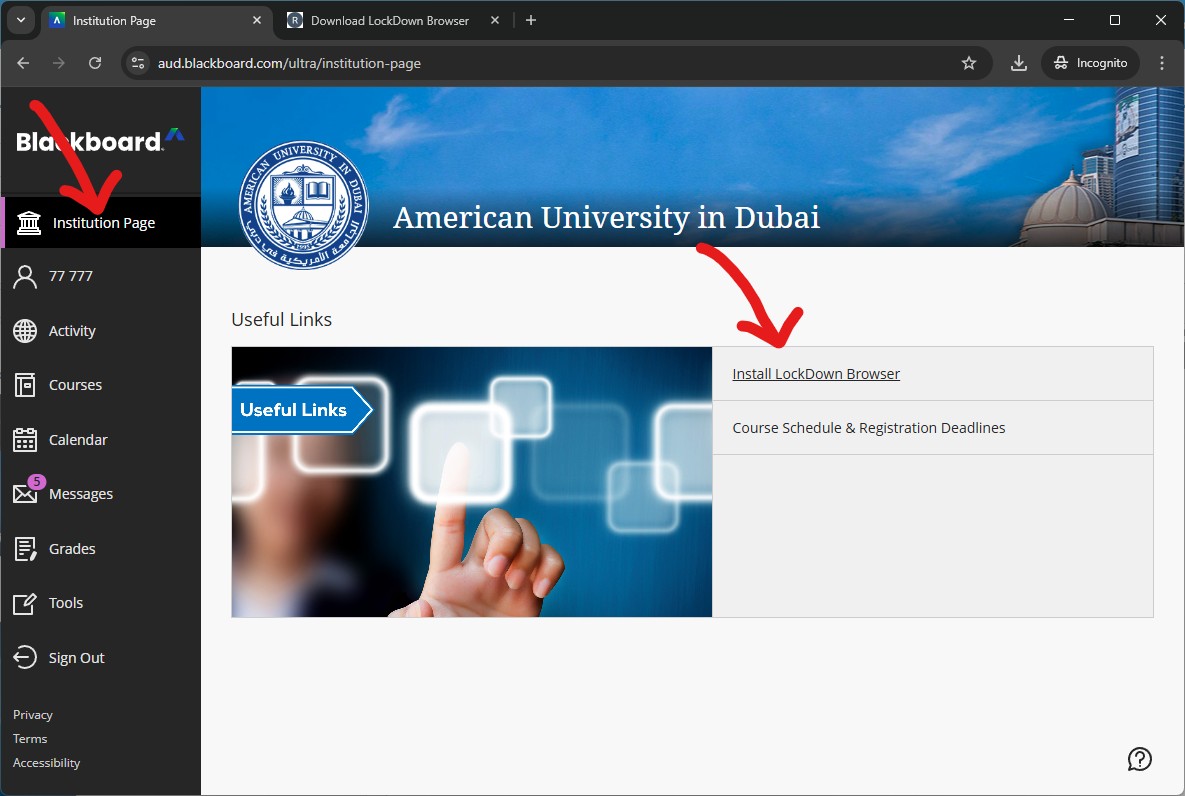
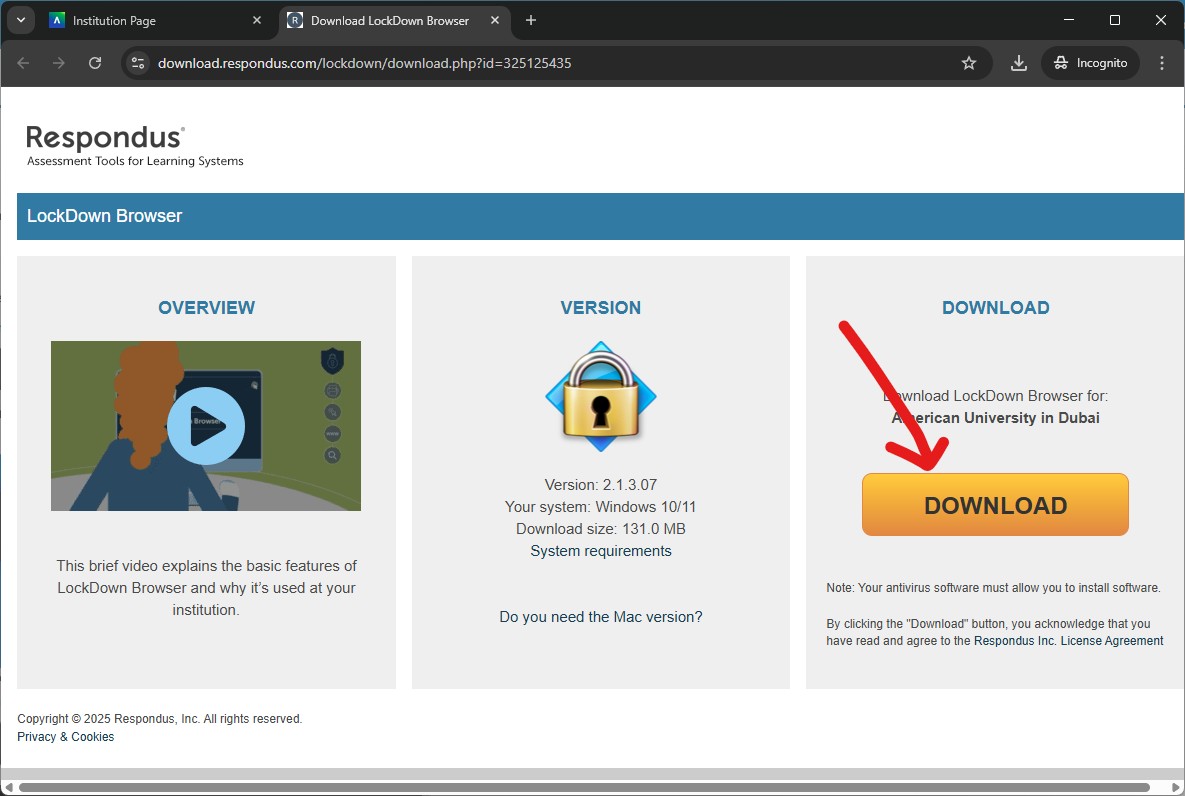
The Installer file will be downloaded. Open the Installer file.

Choose Language as English and Click Next
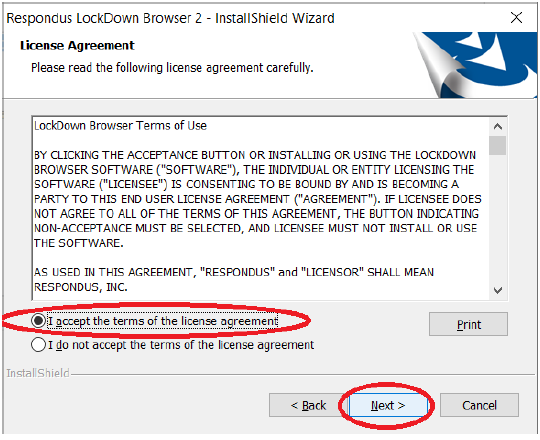
Select I accept the terms of the license agreement and Click Next

Click Finish
Now the LockDown Browser Application is installed in the Computer being used to take the test.

